For those who are not already aware, I actually used to primarily be a Tetris personality three years ago. I was the play-by-play shoutcaster and event host for the 2012 world championship grand final, and I used to run a weekly Tetris show.
I left Tetris not long afterwards because I determined that there was no future in it as an eSport. The lack of support I received from the Tetris Company and Blue Planet Software when trying to organize the tournament was appalling – it was as if they didn’t want me to give their game massive amounts of publicity for free, with just a little bit of their help.
We ultimately couldn’t even get a link to sign up for our tournament on Tetris Friends, which was the official Tetris “client” at the time.
Coinciding with the troubles I was having with the Tetris Company, Hard Drop, the community with which I was associated, was also going through a bunch of changes. As a result of my declining motivation to work on Tetris-related projects, someone else came up to take my place in leading Tetris broadcasting.
Unfortunately, my replacement was completely incompetent and had no clue what he was doing. He managed to somehow fumble together another year of world championship broadcasting, and it was a complete failure.
I took this as my cue to leave Tetris entirely, and transition onto a different game. Sure, I personally enjoyed Tetris, but there was absolutely no future in it.
…
Years later, I discovered that Tetris finally had a real client (instead of just an in-browser Flash extension), and the PC version would be released on Steam. Even though I left Tetris on unhappy terms, I still wanted to try it out.
The reason I originally started doing work in Tetris was because I enjoyed the game – I liked playing, and I liked improving myself to be better. Digging back and pulling out all these nostalgic feels, I downloaded Tetris Ultimate for Steam on release day.
I figured that, surely, after all these years, they would’ve made a great product. There were already so many Tetris clones with so many features, that they should’ve already known what the community wants in their games. There was literally no brainstorming required on the part of Ubisoft – they could literally just look at all these illegal, unlicensed copies of Tetris, and put in all the features into their own game.
That is very exactly not what they did. In fact, they took features they already had in Tetris Friends and took them out.
As you can probably tell by now, I’m very disappointed in the Steam/PC version of Tetris Ultimate. I thought this would be the next great thing in Tetris – the new universal hub for every member of the Tetris community to come together and enjoy some games. At this rate, I’m pretty sure people would rather play Tetris Friends in their browser, rather than purchase this US$14.99 inferior game.
I already had a bad impression of the game immediately after loading it up. You expect games nowadays to be crisp and clean to 1080p resolutions.
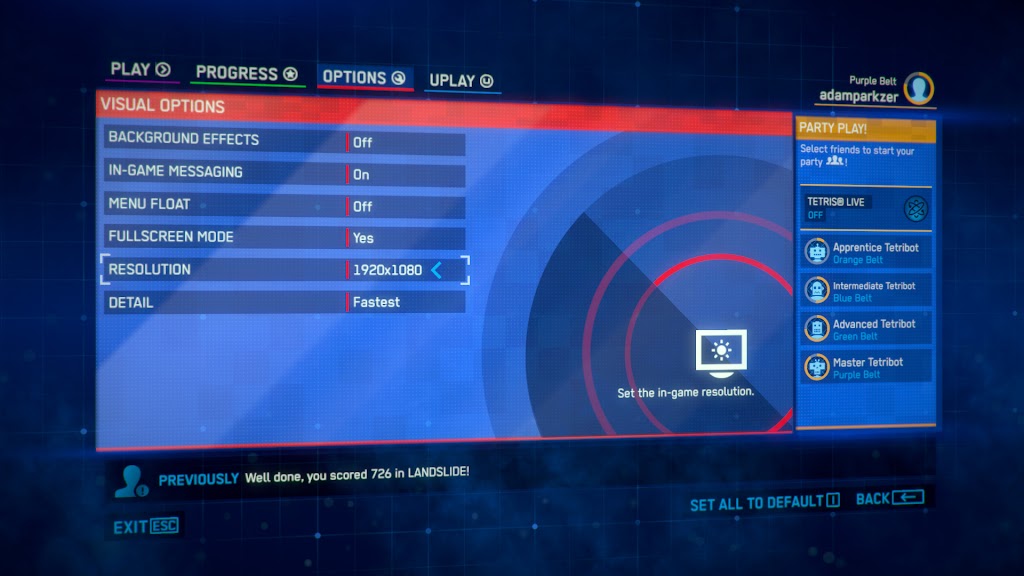
The menu is blurry. The text isn’t crisp or clean, and it’s fuzzy around the edges. You can’t tell from that small preview, but go ahead and click on the screenshot above for the full 1080p resolution. It looks like something in less than 720p was taken and stretched out, rather than rendered at true 1080p.
Now, take a look at this screenshot:
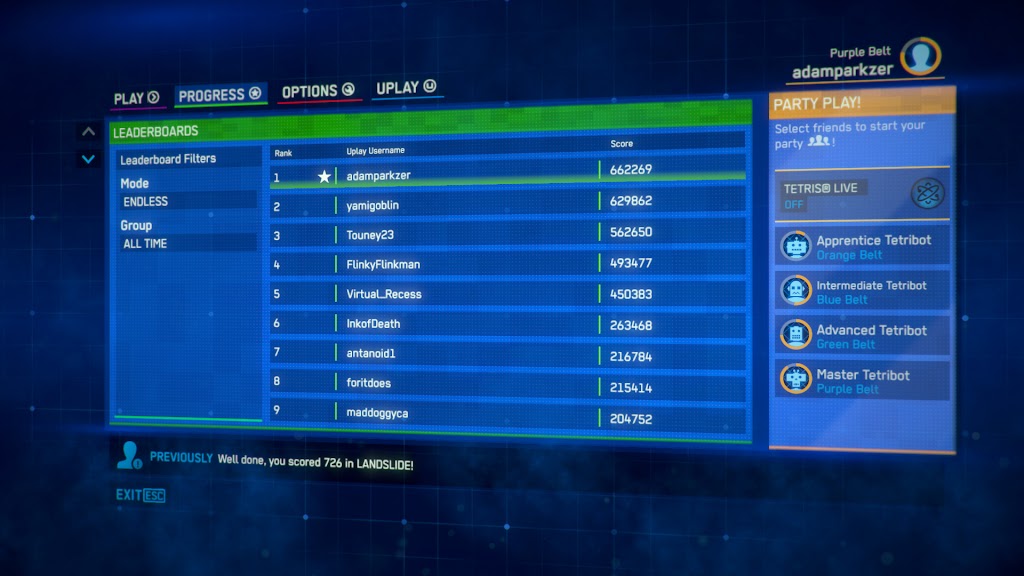
You’ll notice that the menu is slanted in the opposite direction. Do you know why? Because, for whatever reason, the panel swivels back and forth, depending on where your mouse is.
Sure, it’s some eye candy that makes the game a bit more flashy and fancy. But it’s probably the most irritating and annoying thing that I’ve ever seen done with a menu.
Usually, when you see an item, you move your mouse to it and expect it to still be there when you arrive and click. When the entire menu swings around and your destination is no longer at its former location, it can get pretty infuriating pretty quickly.
So what was I hovering over in that screenshot? The “PARTY PLAY!” section. Apparently, you’re only allowed to add Tetribots to your party, unless you connect to Tetris Live. But, in my experience, even if you turn on Tetris Live … you can still only add Tetribots to your party.
Let’s stop complaining about the menu and jump into the actual game. Surely, it will be better, right? Well, not so much.
The first thing I noticed is the complete lack of control features. There is no initial hold/rotate feature, so if you play too quickly, a good number of your inputs are going to be ignored by the game. The auto repeat sensitivity and rate is very limited, and the game sometimes doesn’t even register a key release quickly enough, so the piece keeps moving, even after you let go of your arrow key.
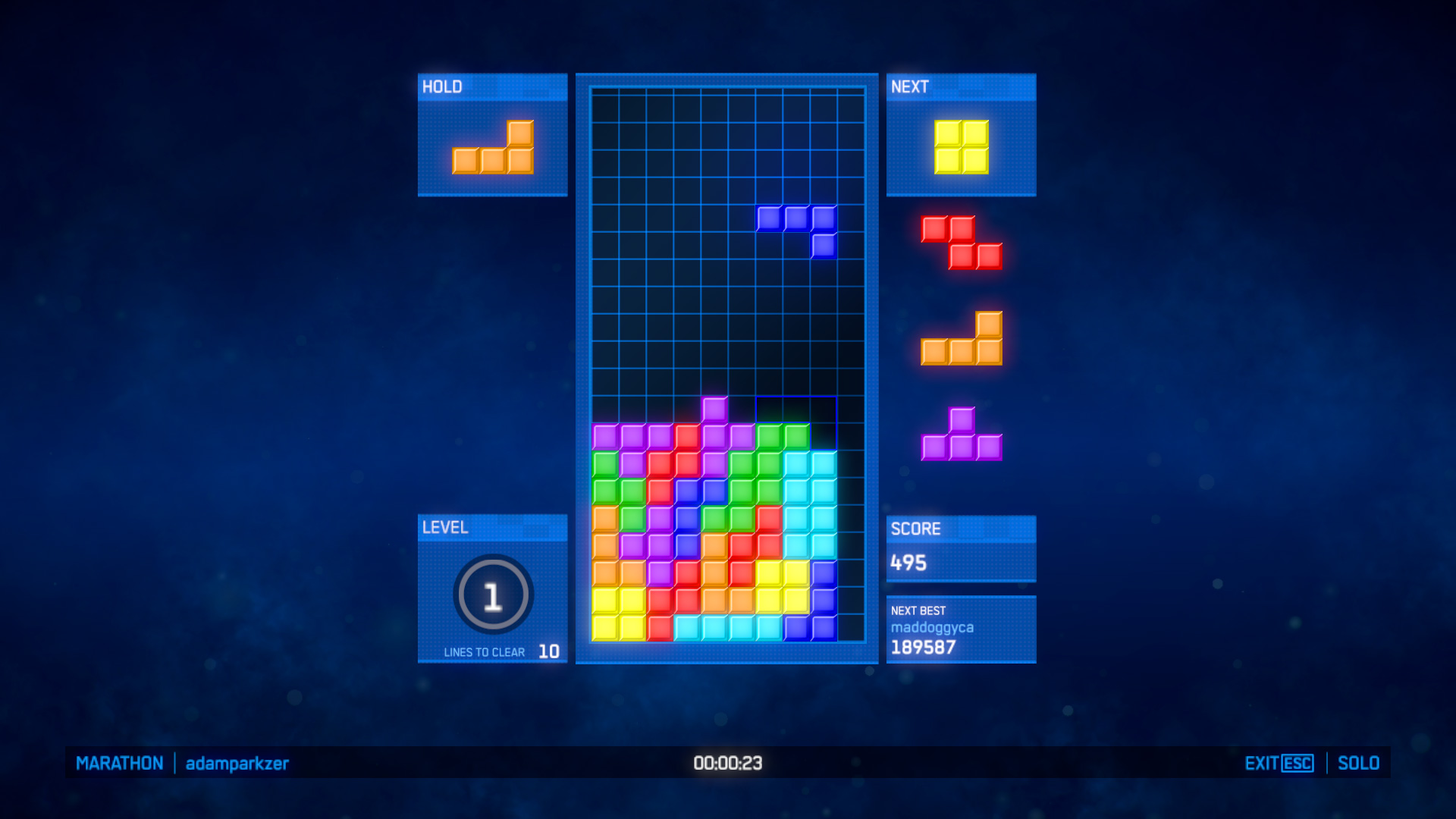
The ghost piece feature also clearly wasn’t thought through that well, because the game matrix is blue, and the J piece is blue. The ghost piece outline is an extraordinarily similar shade of blue as the matrix, so it’s very difficult to see where your J piece will end up.
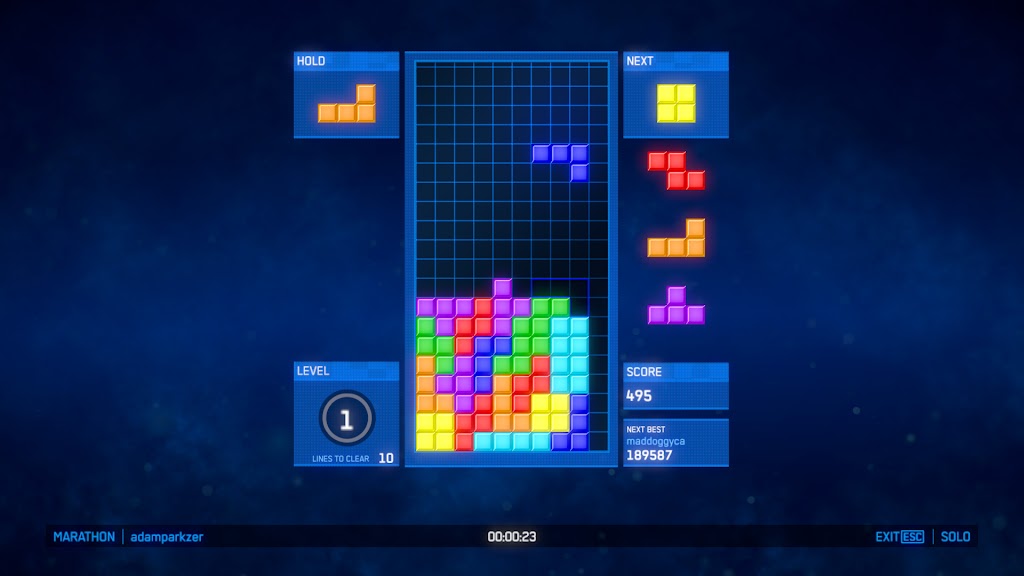
Sure, if you’re looking straight at it, then you can tell the difference between the two shades of blue. But, when you’re playing at an extremely high level with great speed, you end up just barely glimpsing at all the elements on the screen, rather than focusing in on one thing, because you need to take in as much information as possible, as quickly as possible.
When doing that, it’s far too easy to not realize where your J piece ended up, especially because of the excessive number of inputs the game ignores. (Meaning, you press the keys and expect the piece to end up in one place, but because the first few key presses were ignored, it ends up somewhere completely different, and you don’t have a reliable ghost piece system to tell you that the piece will not drop where you expect it to.)
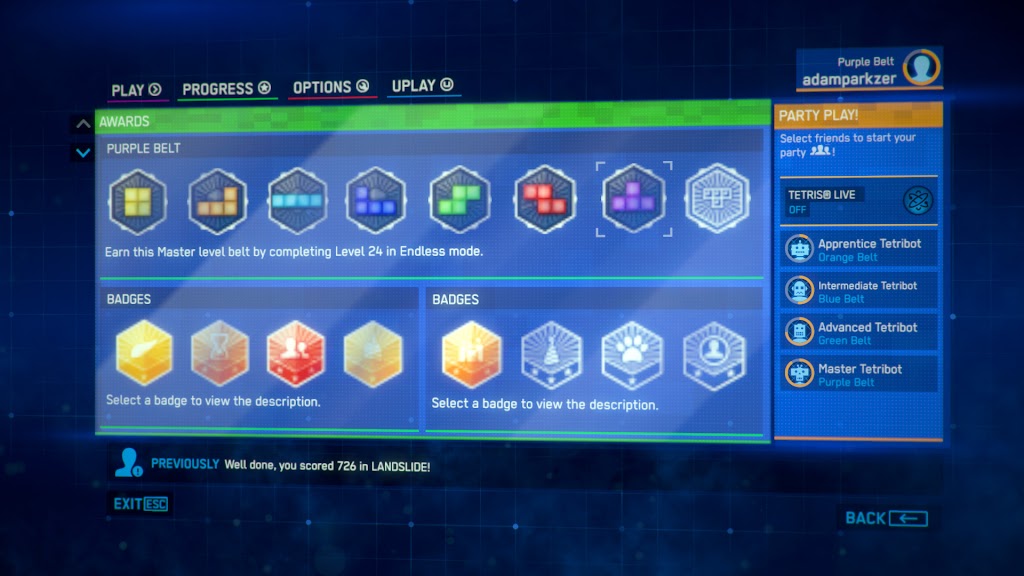
The profile and achievement system is also wildly mediocre. Not only can you not really tell what the achievements are, because they’re so poorly organized, but the clear achievement series that you can tell (because it’s right at the top) – the belt system – is very shallow.
You automatically get a green belt if you finish all the levels of Marathon mode. You get a black belt if you can complete Level 28 in Endless mode. (Also, since when is purple belt ever better than a red belt? Some martial arts even have red belt ranked higher than black belt.) There is absolutely no depth to it – you can literally become a black belt without ever really knowing how to play Tetris.
The other achievements are so hard to keep track because of how badly the panels are organized. It seems like this game was designed for console, then, when transferring it over to PC, instead of redesigning it to work well with computers, they just copied the controller-based menu over.
Grouped in with a bunch of random percentages that show up when you open your profile page (that represent the Tetribots’ achievements) (wait what?), it’s very difficult to actually build up a profile of Tetris credentials because none of it is very intuitive. Not to mention, if you do manage to get badges, they’re all very pixelated.
After playing Tetris Ultimate on Steam for a few hours, and thinking decently hard about it, I’ve concluded that this game is geared towards very casual players who are used to playing console games, but for whatever reason, want to play the PC version of Tetris.
There is no way high-level players can appreciate Tetris Ultimate because of how little it addresses competitive needs. People who play at the highest speeds simply cannot, because there is a forced delay between pieces where inputs are not accepted. Players who play at the highest levels against others worldwide, again, simply cannot … unless they are able to figure out the multiplayer settings better than I can.
This was Tetris’ chance to prove that they really do care, and that they really have been keeping up with the communities of players who love their game. Without a doubt, they failed.
In a quickly advancing and evolving era of gaming, where even near-perfect games still cannot become big, Tetris is eventually going to be buried as one of the classics that couldn’t break through into the modern industry.
After trying out this game, I’m glad that I left and moved on to games made by better companies with brighter, more innovative developers – instead of continuing to meddle with the struggling Tetris scene.
 That was a delicious bomb
  No, that does not sound delicious.
No, I did not try any.
Yes, the person holding the cookie has cats printed on his sweater.
No, that does not sound delicious.
No, I did not try any.
Yes, the person holding the cookie has cats printed on his sweater. 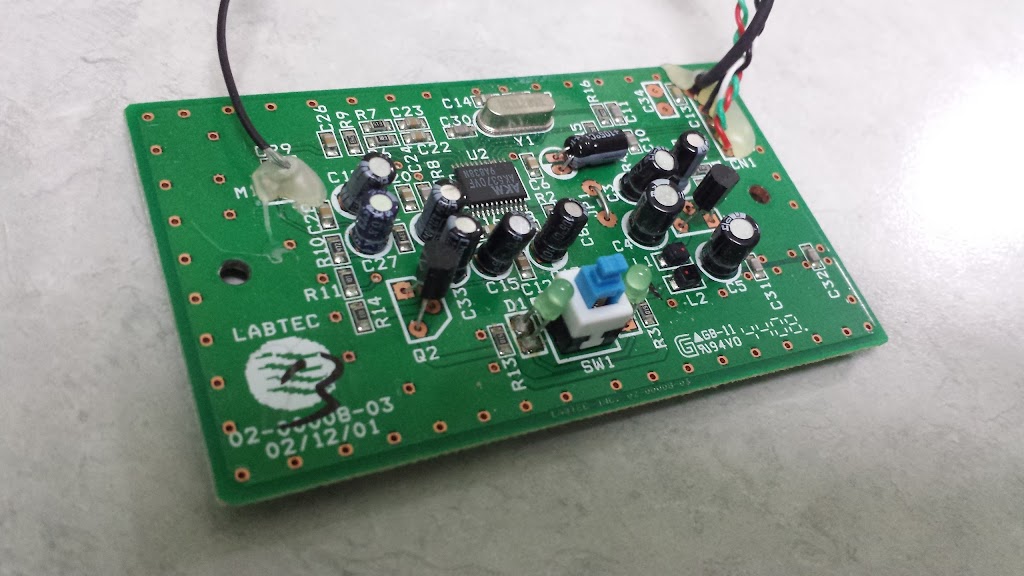 I have no clue what part does what, and still don’t know where it broke.
R.I.P.
I have no clue what part does what, and still don’t know where it broke.
R.I.P.