 The problem was that I did not have Reminder syncing enabled in iCloud. Once I turned on syncing for Reminders, I was able to start adding reminders to my list. I don’t know why it’s necessary to sync your reminders for you to be able to even use it in the first place, but either way, I’m glad that it’s working now.On the other hand, I’m not very glad that it’s not compatible with syncing with Google Tasks. I like to add tasks and reminders to my list of things to do from my computer because it’s a lot faster, and I use Google Tasks relatively frequently. It would be nice if it was able to sync with Google Tasks so I would able to access my task list from my mobile device. Google Tasks compatibility wasn’t available in previous iOS versions, and I was hoping the OS upgrade would provide something basic like this, but apparently not.
 My Reminders App is Fixed
This post is over 15 years old and may contain information that is incorrect, outdated, or no longer relevant.
My views and opinions can change, and those that are expressed in this post may not necessarily reflect the ones I hold today.
If you read my blog post from three days ago, you know that I installed iOS 5 and had problems getting my Reminders app to work. I asked for help on my blog, but I got more people asking me what I meant by the + button missing than people trying to help me out.Also, people are still sending me suggestions, so I decided to announce that I managed to get my Reminders app working. And for all of you who were curious what I meant by the + button, I took a screenshot of the app so you can see what I mean.The problem was that I did not have Reminder syncing enabled in iCloud. Once I turned on syncing for Reminders, I was able to start adding reminders to my list. I don’t know why it’s necessary to sync your reminders for you to be able to even use it in the first place, but either way, I’m glad that it’s working now.On the other hand, I’m not very glad that it’s not compatible with syncing with Google Tasks. I like to add tasks and reminders to my list of things to do from my computer because it’s a lot faster, and I use Google Tasks relatively frequently. It would be nice if it was able to sync with Google Tasks so I would able to access my task list from my mobile device. Google Tasks compatibility wasn’t available in previous iOS versions, and I was hoping the OS upgrade would provide something basic like this, but apparently not.
The problem was that I did not have Reminder syncing enabled in iCloud. Once I turned on syncing for Reminders, I was able to start adding reminders to my list. I don’t know why it’s necessary to sync your reminders for you to be able to even use it in the first place, but either way, I’m glad that it’s working now.On the other hand, I’m not very glad that it’s not compatible with syncing with Google Tasks. I like to add tasks and reminders to my list of things to do from my computer because it’s a lot faster, and I use Google Tasks relatively frequently. It would be nice if it was able to sync with Google Tasks so I would able to access my task list from my mobile device. Google Tasks compatibility wasn’t available in previous iOS versions, and I was hoping the OS upgrade would provide something basic like this, but apparently not.  Update: Kelli emailed me again saying “I meant I wanted to see a photo of the side of the pile of papers so I could see how much stuff you had to read for your classes.” My response: “Oops.”In other news, when writing up a lab reading for your students, make sure to proofread it.
 Or else it will say that T represents the ability to taste PTC, and T also represents the inability to taste PTC.Then one of your students will take a picture of it and upload it to his blog so the world can laugh at your mistake.On a slightly related note, while I was reading that lab and doing the pre-lab questions in a library, the building next door thought it was a good idea to blast music so loudly that the people studying in the library could enjoy it as well.Distractions seem to follow me around like a trail of ducklings.
  Either that or I just haven’t noticed them because today was the first time in a few days that I took the north exit out of my apartment, and they might’ve spent the entire weekend falling off.Either way, I can no longer walk in stealth into and out of my apartment anymore because the leaves crunch under my feet.
 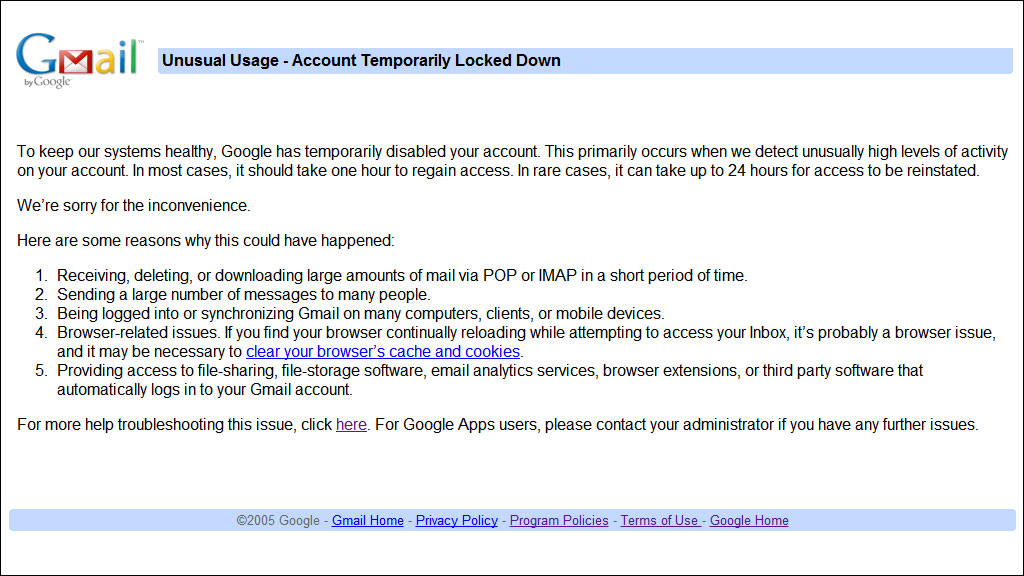 So there’s your tip of the day. I think the cut-off might be 300 MB, because I was able to successfully upload 292 MB before it decided it was time for me to stop.If you’re wondering, no, I do not produce hundreds of megabytes of backups per day. This was stuff from the past handful of months or so, and it was a combination of mostly PDF/document packages and interval content backups for my website.And finally, I’m going to assume that most of you are going to wonder what I mean by “packages,” so I’ll explain it now before people ask. If you were not already aware, the largest size for an individual file you can upload to Gmail is 25,000 KB. This means that I can’t combine all the files I want to upload into a single massive archive, but this also means that I don’t have to upload every single file individually. I take files that share something in common (for example, backups for Parkzer.com taken during September 2011) and combine them into a one archive so it’s not too big that it can’t be uploaded but not too small that it’s annoying to upload.So yeah, I’m hoping my account isn’t going to be one of those rare cases that take 24 hours to be restored. I guess I’ll find out tomorrow morning when I wake up, and meanwhile, I’m going to sleep.