aksjdhfaksldf
Project Four-Panel UpdateI am officially severely dissatisfied with Adobe Premiere Pro CS4.
It all started back when I got the Adobe Creative Suite 4 Master Collection and decided to try out Adobe Premiere Pro CS4 for my video editing. I had used Camtasia Studio 6 previously, and I felt as if it didn’t provide me with enough control over my projects.
Ever since I started using Adobe Premiere Pro CS4, I have been getting poor quality video results. I fiddled around with the rendering controls for hours on end and looked up many rendering guides online, but nothing seemed to work. Even when it rendered poor quality video, the file sizes were still much larger than the medium-quality videos rendered by Camtasia Studio 6.
Yesterday, I took an hour-long video clip of myself working on developing new content for my website. I threw the raw file into Adobe Premiere Pro CS4 and sped it up to over 2500% its regular speed, shrinking it down to two minutes. After rendering it, I noticed that the video was extremely poor quality and saw that it was still over 170 MB in size, even though it was only two minutes long and was 640 by 360 pixels in dimension.
Ignoring the fact that the final product I just produced was complete garbage, I still went ahead and uploaded it to YouTube. The uploading process itself took over an hour because the file was so large (I have a basic 3.0 Mbps DSL connection), and after it finished uploading, it gave me an audio processing error: “We did not recognize the audio codec format for this file, but we will go ahead and try processing it anyway.” I recalled that the audio setting I picked was in MP3 format, but to make the YouTube processor happy, I decided to remove the audio entirely. Rerendering the project took another half an hour.
After it was done rendering again, I reuploaded the new video to YouTube, which took another hour or so. Even without audio, I got the same exact error. Even more unexpectedly, the audio error seemed to have also corrupted the video as well, as the first few seconds flickered white and gray before showing the video.
I was done with using Adobe Premiere Pro CS4.
I pondered going back to Camtasia Studio (which I had updated to Version 7 by now), but although Version 7 provided a lot more features, it still wasn’t good for advanced editing. The only thing I ever used Camtasia Studio 7 for was getting screen captures of, compiling clips of, and editing game video footage, which I did rarely anyway. I went hunting for new video editing software.
Then I remembered some video editing software called Sony Vegas 7.0 that I used a long time ago. I remembered that I stopped using it because two days before the trial ended, the text insertion tool stopped working. I decided to go back to the Sony website and see if they had updated the software at all, and they did; I downloaded my free trial of Sony Vegas 9.0c.
The first thing I tried was text insertion to make sure the same problem as last time didn’t recur, and it seemed to work fine. Then, I dragged some .MOV files from my camera into Sony Vegas 9.0c to play around with the software, and all I got were blank black screens. When I played back the raw .MOV files, I heard the sound but saw none of the video.
Maybe video production and Adam Parkzer just weren’t meant to be together.
Anyway, I went on Google and did a quick search to find out what was going wrong, and within a few minutes, I found out that the problem was with QuickTime 7.6.6 and the way it displayed .MOV files. I downgraded to QuickTime 7.6.5 and everything started working.
Then I decided to try and remake the accelerated recording video that Adobe Premiere Pro CS4 failed to make, and noticed that I had deleted the original raw hour-long video file. The only thing I had was the poorly rendered version Adobe Premiere Pro CS4 had spit out earlier. I dragged the .MP4 file into Sony Vegas 9.0c and started editing, trying to use media effects to make it look clearer and crisper.
When I rendered the new final product with Sony Vegas 9.0c, the file size went down to around 72 MB. When I uploaded the new final project, I no longer got the audio processing error, but just to continue to drive me crazy, the video was still corrupted somehow that the beginning of the video faded in from white instead of fading in from black.
To put this into perspective, this happened throughout a span of a full day, starting from around midnight when I first started editing the video to around 11:50 PM when I posted this. I decided that I dealt with enough video editing software today to last me the rest of the week, so I kept the Sony Vegas 9.0c version of the accelerated recording on my YouTube account and gave up.
Question of the DayToday’s question of the day is, “Are you ever going to update to Adobe Creative Suite 5 (CS5)?” Nobody actually asked me this question, so I asked it to myself because I wanted to elaborate on my rage against Adobe Premiere Pro CS4.
When I got the Adobe Creative Suite 4 Master Collection, I intended to try out all the software and use it all to my advantage when doing stuff on my computer. After trying it out for a while, I realized that a lot of the software wasn’t really necessary. The only programs I used moderately frequently were Photoshop, Dreamweaver, Premiere, and sometimes Soundbooth. A clear substitute for Dreamweaver is the free Notepad++. If there are massive advantages to using Dreamweaver to write PHP, HTML, and CSS files, I have yet to find them, as I see Dreamweaver as an ordinary colorful text processor that takes a long time to start up. A clear substitue for Premiere, which I already explained above, is Sony Vegas 9.0c. Premiere tends to not work anyway, according to my experiences, and I already made the switch earlier today. I hardly ever use Soundbooth (although I may be using it a bit more once I get more deeply into Project Four-Panel), but for what I need, I’m sure that audio enhancement can be done with Audacity (which is free), and audio compiling can be done within Sony Vegas 9.0c. If I ever need something more advanced, people have told me about a program that has a name that sounds a lot like Fruity Pebbles, and apparently it’s one of the best audio editing programs available on the market.
So as you can see by my desire to avoid using CS4 programs, I’m most likely not going to update my full set to CS5. However, I have always been satisfied with Adobe Photoshop, even though there are a lot of good free photo editing programs available. Something about Photoshop has always made it seem like the right program to use for everything, so I’m going to try out the free trial for Photoshop CS5, and eventually upgrade to the full version.
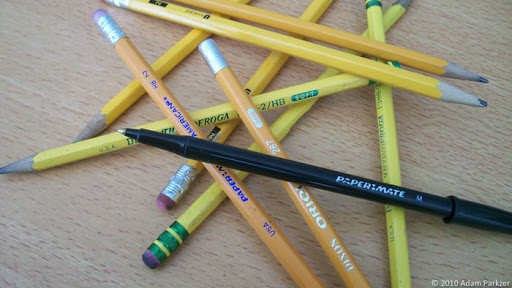
The Daily Shoot Assignment of the DayAds promote removing wrinkles, but they often add character. Make a photo of something wrinkled, crinkled, or folded.

 No, that is not a woman. That is a man dressed as a woman.He competes in beauty pageants on a regular basis. He failed to rank in the most recent beauty pageant he participated in, and he is blaming the failure on the designer’s poor dress making instead of his hideous looks.That person made me :facepalm:, and I decided to share this with you so you could :facepalm: too. Quote of the Day“I used to think that I was indecisive, but now I’m not too sure about that.” What I’m WatchingFollowing a recommendation from one of my friends who wishes to remain anonymous, I watched a movie called Fast Times at Ridgemont High.This movie, although released in 1982, is a good representation of the things high school students have to live through. The movie has two main plotlines: the secondary plotline is about a drug addict and class rebel that is on the verge of failing his history class, while the main plotline is about a girl that wants to find a special male friend with whom she can extend their relationship to levels where she has never gone before.The whole movie is 90 minutes, and I thought most of it was pretty entertaining. Having just graduated high school, the movie helped me see that the drama from high school has not changed much compared to 28 years ago. Also, because of my particular interest in a human’s role and self-portrayal in society, it was pretty funny watching how the director portrayed the different stereotypes within the movie.Before you go and watch this movie, please note that this movie was originally rated X in the United States. More specific details about why can be found in the IMDB Parents Guide (keep in mind that the guide may contain spoilers). The Daily Shoot Assignment of the DayMake a photo that uses negative space to good effect. Give your subject room to breathe, and balance it within the frame.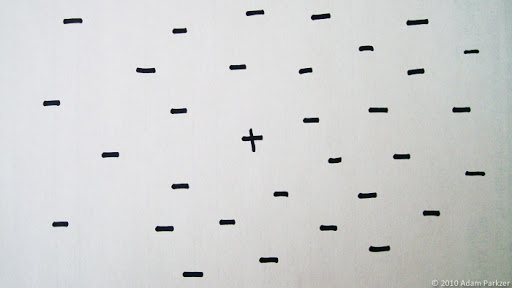
 I’m not sure if that name is epic fail or epic win. Quote of the DayLittle girl: “You have AIDS on your arm!”Me: “That’s called a mosquito bite.” Project Four-Panel UpdateI’m pretty much set to record now. All that there’s left to do is to put the transposed version of the song on my iPod so I can listen to it while playing each portion and keep perfect timing. And I have to find a good place to record, hopefully somewhere different for each instrument, and preferably somewhere bright with lots of intriguing furnishings.As for the camera, I might hold off on the recording until I get a better camera. The one that I use most frequently right now can only record 640 by 480 pixels in dimension, which isn’t exactly the best quality when I’m looking to make a high-definition final product.
  Today’s TweetsI got my rooming assignment for this coming school year today, and I’m living on the fourth floor. I hope I don’t fall out the window.
 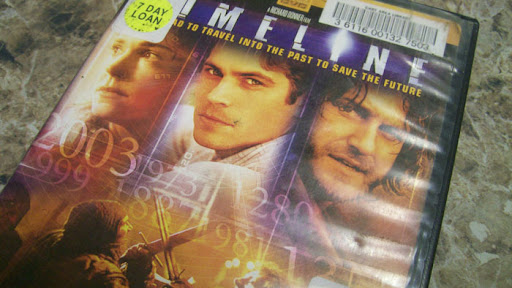 The movie begins at an archaeological dig site where a group of people find a note asking for help written by someone from the modern day, but with ink that was carbon-dated to be over 600 years old. After doing some investigations, the archaeologists find out that a professor used a time machine to go back into the 1300s, and now is stuck back there and cannot return. The archaeologists are told to go back a group, rescue the professor, then use the time travel technology to return to the modern day. It seemed like a simple task until they found out that they happen to be in La Roque on the day that it burns down.Using their knowledge studying history, the archaeologists maneuver the area and outsmart the people, attempting to accomplish their goal. It’s not as easy as they originally thought, however, when they start encountering opposition and begin losing their friends.Surprisingly, when I looked up some background information on this movie after watching it, many people criticized it when it first came out, and it failed to make more than the $80 million it used for its budget.I thought the movie was pretty interesting, even though the beginning started off slowly, uneventful, and slightly randomly. I also liked the connections that were slowly made throughout the movie that connected things that happened in the past and what the archaeologists were able to find in the future. My favorite quote from the movie is “That’s me!” which comes from a memorable scene and is spoken by an archaeologist after realizing that he found a fossil of his own body in the future before coming back in time. I would recommend this movie to people who are interested in unconventional medieval movies and movies involving time travel or science fiction in general.
 That is my “I feel like a
  I boosted the brightness up a lot to make it look dreamy and heavenly, but now it sort of looks like a picture of a dead person’s bloodless arm.o__O