 So there’s your tip of the day. I think the cut-off might be 300 MB, because I was able to successfully upload 292 MB before it decided it was time for me to stop.If you’re wondering, no, I do not produce hundreds of megabytes of backups per day. This was stuff from the past handful of months or so, and it was a combination of mostly PDF/document packages and interval content backups for my website.And finally, I’m going to assume that most of you are going to wonder what I mean by “packages,” so I’ll explain it now before people ask. If you were not already aware, the largest size for an individual file you can upload to Gmail is 25,000 KB. This means that I can’t combine all the files I want to upload into a single massive archive, but this also means that I don’t have to upload every single file individually. I take files that share something in common (for example, backups for Parkzer.com taken during September 2011) and combine them into a one archive so it’s not too big that it can’t be uploaded but not too small that it’s annoying to upload.So yeah, I’m hoping my account isn’t going to be one of those rare cases that take 24 hours to be restored. I guess I’ll find out tomorrow morning when I wake up, and meanwhile, I’m going to sleep.
 Account Temporarily Locked Down
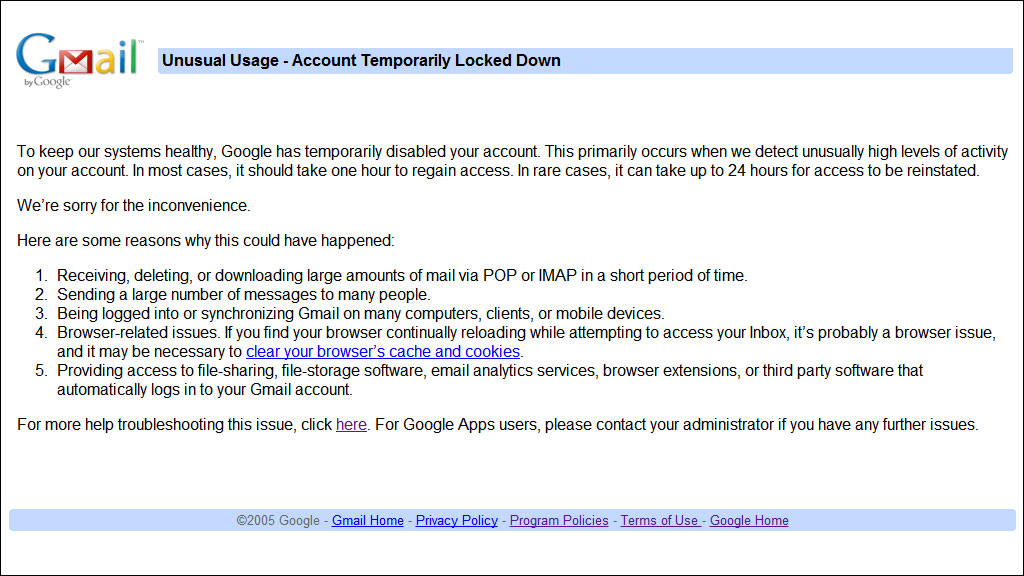
I learned today that if you’re going to store a lot of files onto your Gmail account because you haven’t been keeping up with your online backups, you shouldn’t upload more than a couple hundred megabytes, or else this will happen:So there’s your tip of the day. I think the cut-off might be 300 MB, because I was able to successfully upload 292 MB before it decided it was time for me to stop.If you’re wondering, no, I do not produce hundreds of megabytes of backups per day. This was stuff from the past handful of months or so, and it was a combination of mostly PDF/document packages and interval content backups for my website.And finally, I’m going to assume that most of you are going to wonder what I mean by “packages,” so I’ll explain it now before people ask. If you were not already aware, the largest size for an individual file you can upload to Gmail is 25,000 KB. This means that I can’t combine all the files I want to upload into a single massive archive, but this also means that I don’t have to upload every single file individually. I take files that share something in common (for example, backups for Parkzer.com taken during September 2011) and combine them into a one archive so it’s not too big that it can’t be uploaded but not too small that it’s annoying to upload.So yeah, I’m hoping my account isn’t going to be one of those rare cases that take 24 hours to be restored. I guess I’ll find out tomorrow morning when I wake up, and meanwhile, I’m going to sleep.
So there’s your tip of the day. I think the cut-off might be 300 MB, because I was able to successfully upload 292 MB before it decided it was time for me to stop.If you’re wondering, no, I do not produce hundreds of megabytes of backups per day. This was stuff from the past handful of months or so, and it was a combination of mostly PDF/document packages and interval content backups for my website.And finally, I’m going to assume that most of you are going to wonder what I mean by “packages,” so I’ll explain it now before people ask. If you were not already aware, the largest size for an individual file you can upload to Gmail is 25,000 KB. This means that I can’t combine all the files I want to upload into a single massive archive, but this also means that I don’t have to upload every single file individually. I take files that share something in common (for example, backups for Parkzer.com taken during September 2011) and combine them into a one archive so it’s not too big that it can’t be uploaded but not too small that it’s annoying to upload.So yeah, I’m hoping my account isn’t going to be one of those rare cases that take 24 hours to be restored. I guess I’ll find out tomorrow morning when I wake up, and meanwhile, I’m going to sleep.